


How to Use Schema Markup to Boost Voice Search Visibility for SaaS Websites
Ranking on Google no longer means you’re visible where your audience is searching.
People are not only typing search queries on Google. They’re now asking voice assistants for quick, clear answers. When someone asks, “What’s the best help desk software for startups?” Google Assistant picks only one answer. You may have good content with solid SEO strategies. But if voice assistants can’t understand what your site is about, it gets skipped.
This is why schema markup is important. It is structured data that helps search engines better understand and recommend your site to the people asking the questions your product solves. Adding schema to your SaaS website not only boosts search visibility but also helps to increase ranking in search results.
In this guide, you’ll learn how schema markup works and how to use it to boost voice search visibility for your SaaS.
- How to Use Schema Markup to Boost Voice Search Visibility for SaaS Websites
- What is Schema markup and why is it important for SaaS websites?
- How does schema markup boost voice search visibility for SaaS websites?
- Best types of schema for SaaS
- Best voice search optimization practices for maximizing schema markup results
- How to create schema markup for SaaS websites
- How to implement schema markup on your SaaS website
- Common schema markup mistakes SaaS teams must avoid
- Tools to help SaaS teams create and manage schema
- Metrics to measure the impact of schema and voice search optimization
- Schema Markup as a one-stop strategy for SaaS voice search success
- FAQ
What is Schema markup and why is it important for SaaS websites?
Schema markup is a form of structured data that tells search engines exactly what your website content is about. Think of it as giving Google a cheat sheet for your SaaS pages so it knows what your product does and who it’s for.
When a search engine crawls your site, it reads the content and tries to understand what it is. Adding schema to your pages tells search engines and voice assistants what your SaaS does, its features, and the audience it serves. This clarity makes your content much more likely to get picked and appear in voice search results.
Traditional SEO vs Schema Optimization
Traditional SEO and schema markup work differently. Regular SEO focuses on keywords, backlinks, and ranking pages. The goal is simply to get your site to appear somewhere on Google.
Schema markup, on the other hand, focuses on meaning and context. It tells search engines what your SaaS is all about, so they can deliver that information straight to people who are asking for it.
For instance, traditional SEO might get your CRM page to rank for “best CRM software.” But with schema markup, your page can show up when someone asks a full question like, “What’s the best CRM for small businesses?”
Why it matters for SaaS websites
Adding schema markup isn’t optional for SaaS websites because it serves as the bridge that connects your product with the right audience who are actively searching. Using the right schema makes your pages easy for both search engines and voice search tools to understand. It also improves search rankings and increases your chances of being featured directly in voice search results.
How does schema markup boost voice search visibility for SaaS websites?
More people are now asking voice assistants like Siri and Google Assistant full, conversational questions, and your SaaS product needs to be the answer they hear.
Here’s how schema markup can help your SaaS website stand out in voice search results and get discovered by the right audience.
1. Increases chances of featured snippets and people also ask
Schema makes it easier for Google and voice assistants to find your content for featured snippets, People Also Ask, and AI-generated answers. This gives your SaaS a better chance of being the direct answer when someone asks a voice search query, instead of getting lost in traditional search results.
2. Helps AI pick your SaaS as the answer
Voice searches are all about clear, concise answers. With schema, you can tag key details like product type, features, and pricing to the pages on your site. This helps voice assistants understand your SaaS content and choose it as the answer.
For example, a page with a Software Application schema can be picked when a user asks, “What’s the best CRM for small businesses?”
3. Builds trust and improves click-through rates
Schema isn’t just for voice search. It also signals to users that your content is accurate and trustworthy. Marking up reviews, features, and pricing helps your SaaS stand out amongst others. It increases credibility, drives more clicks, and improves your CTR.
4. Organizes key information clearly for search engines and AI
Schema markup helps to arrange important details about your SaaS so that search engines and voice assistants can read them easily. When your features, pricing, and reviews become clear and accessible, it improves your chances of being featured in voice search results.
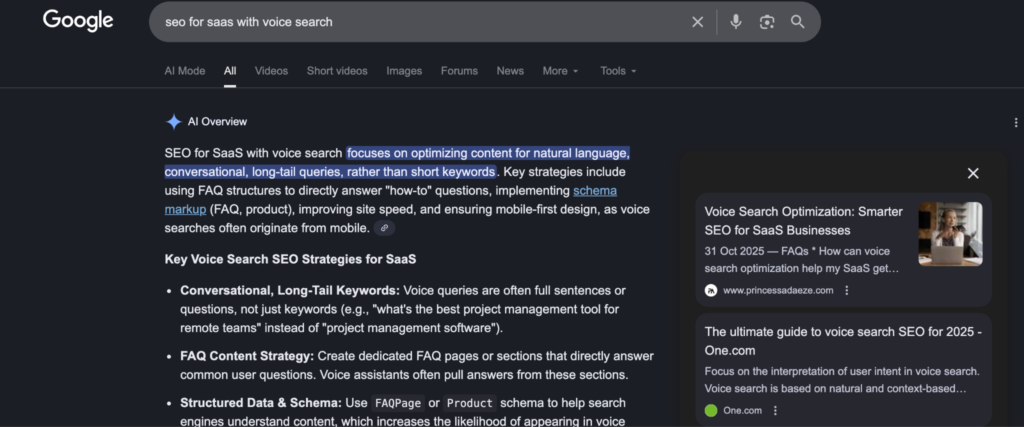
Best types of schema for SaaS
Using schema on your SaaS website is one thing, but choosing the right type for your content is what really drives results. The best schema types every SaaS should add to their website to get found in search results are:
1. Software application schema
If your SaaS is a tool people sign into and use regularly, this schema should come first. Software application schema tells search engines that your site is a real software product, not a regular blog page.
It clearly defines your product name, what it does, and the category it falls under—project management, CRM, analytics, finance, e.t.c. It also shows its operating system, pricing model and ratings.
When someone tries to find software like yours using voice search, this type of schema helps Google Assistant understand your page as an option that fits the query.
FAQ schema
This type of schema works by marking up common questions users are always asking—like pricing concerns, integrations, or setup steps. Adding it to your page tells search engines which questions your SaaS answers, and where the answers live.
Use this when you want to:
- Match long, conversational voice search queries
- Show up in People Also Ask and voice answers
- Improve user experience without changing your page design.
If you already have an FAQ section, adding schema markup is one of the fastest ways to optimize your website for voice.
HowTo schema
HowTo schema markup is perfect for onboarding and education content, including step-by-step guides, tutorials, and integrations.
When you mark up these pages correctly, schema markup helps search engines to understand each step clearly. This way, it’s easier for voice assistants to read the instructions out loud or surface your guide as the best answer.
For example, a page marked with HowTo schema can come up when someone asks, “How do I set up automated email workflows in this tool?”
Review & rating schema
Reviews help voice assistants choose the best answer for a search query. This schema type gives search engines clear trust signals about your product. It shows the most preferred tools for users, making it easier for voice assistants to choose the “best” option.
Adding review schema helps you:
- Build credibility in voice search results
- Improve click-through rates
- Support stronger rankings for competitive queries
This schema markup helps to boost your SEO without adding new content.
Organization schema
Search engines want to know who’s behind the product. Organization schema tells search engines clearly who you are and builds trust across Google Search and voice assistants.
It connects your SaaS name to your official website, logo, social profile, and your contact details
This schema makes it easier for search engines to recognise your website. It also supports branded voice searches, especially when users search by brand name using voice.
Speakable schema
Speakable schema makes your content easy for voice assistants to read out loud. It highlights specific sections of your page that voice assistants can use directly in voice search results.
It is best for short explanations, definitions, and summaries that answer questions clearly. As schema markup and voice search evolve, Speakable schema keeps your website evergreen for voice-driven search experiences and AI-generated answers.
Product and pricing schema
When users ask pricing questions through voice search, they want straight answers. Product schema with pricing markup helps deliver that.
It contains the subscription plans, free trial options, and currency and billing terms of your SaaS.
Search engines use this schema to show pricing details directly in search results. It not only boosts visibility for your website, but it also saves users time.

Best voice search optimization practices for maximizing schema markup results
Adding schema markup is only half the job. To really win in voice search SEO, your content and structure need to work hand in hand.
Here are practical ways to optimize your website for voice search to get the most out of schema markup:
1. Write the way your users talk
Voice search queries often come as full questions. When your content mirrors the natural way users speak, schema markup can match it to spoken search queries. Pull questions from sales calls, onboarding sessions, and support chats. They are often the same questions people ask voice assistants.
2. Structure your content to match the schema you’re using
FAQ schema works best when questions and answers are clearly separated. HowTo schema needs step-by-step explanations that flow logically. SoftwareApplication schema performs better when your product pages clearly explain what the SaaS does, who it’s for, and how to use it.
3. Keep your answers short and direct
Voice assistants prefer clear content that they can read out loud without trimming. Aim to answer key questions in about 40 to 60 words. Place the main answer first and then add the context after.
4. Focus on long-tail, SaaS-specific queries instead of broad keywords
Voice search questions tend to be more detailed and intent-driven, especially for software products. Your content should answer questions tied to use cases, features, and real problems your product solves. This makes your website far more relevant when users are looking for a solution.
5. Make your content easy for schema to read
Clear headings, focused paragraphs, and simple examples help schema markup do its job. When your pages are clear and well-structured, it’s easier for search engines to pull answers directly in search results and voice responses.
6. Test how your content and schema perform together
Use Google Search Console and rich results tools to confirm your schema is valid and eligible for enhanced visibility. Regular checks and audits ensure your schema markup continues to support voice search optimization as your content evolves.
How to create schema markup for SaaS websites
Creating schema markup for your SaaS website doesn’t have to be complicated. With the right approach, you can make your pages show up in the answers people are asking for.
Here’s a step-by-step guide on how to create schema markup for your SaaS website:
1. Audit your SaaS website
Start by taking a close look at your site. Highlight the pages that matter most, like product pages, pricing pages, feature overviews, tutorials, and support documents. Then find out what questions users are asking when they visit these pages.
Knowing the intent behind each page makes it easier to create a schema that helps search engines understand your content.
2. Choose the right schema type for each page
Next, match each page with the correct schema type. Use SoftwareApplication schema for your main product pages, FAQ schema for common customer questions, and the HowTo schema for tutorials and onboarding guides. Review schemas are great for ratings and testimonials, and the Product schema for pricing and subscription details.
3. Generate JSON-LD markup
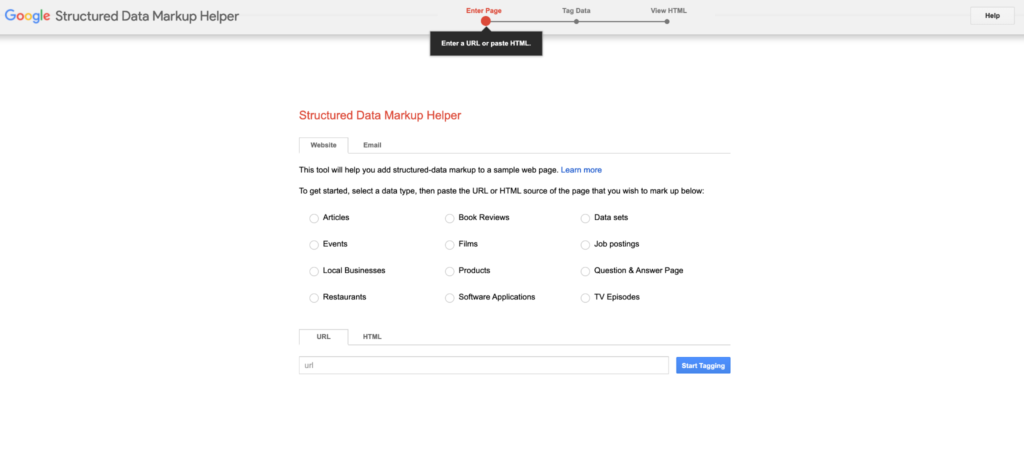
Instead of generating JSON-LD codes manually, use tools like Google’s Structured Data Markup Helper, Schema Markup Generator, RankMath, and Schema Pro to make it simple. All you have to do is include all the important details like your software features, pricing tiers, and FAQ answers.
4. Align your content with the schema
Finally, make sure your content and schema match perfectly. Headings, questions, and answers should reflect the structure of your chosen schema. FAQ questions should match FAQ schema, and step-by-step tutorials should align with the HowTo schema.
This alignment ensures your schema works effectively and sets the foundation for a website optimized for voice search.
How to implement schema markup on your SaaS website
Now that you know how to create the right schema markup, adding it to your SaaS website is where it starts working its magic. Here’s how:
1. Add schema to CMS
With your JSON-LD markup ready, it’s time to add it to your SaaS website. This process depends on your content management system (CMS). On WordPress, use plugins like Yoast SEO, RankMath, or Schema Pro to insert the schema without coding.
HubSpot allows you to add custom modules with JSON-LD scripts. Webflow and Wix allow you to add directly into the page settings or the header code.
2. Validate schema
After adding the schema, test it immediately. Use tools like Google Rich Results Test or Schema Validator to check for errors and warnings.
Fix any missing fields, invalid properties, or formatting issues so your structured data works properly. Small errors can prevent your pages from appearing in featured snippets or AI-generated answers.
3. Monitor and update
Schema isn’t a one-off task. Always track how your pages perform in featured snippets, People Also Ask, and AI-driven search results.
Review and update your schema whenever you change your pricing, features, or product details. This way, search engines continue to show up-to-date information about your SaaS.
4. Troubleshoot common implementation issues
Even with careful setup, common issues like missing fields, invalid markup, or content that doesn’t match your schemas can pop up. To overcome these, make sure you double-check the information in your schema so it matches your headings, descriptions, and pricing.
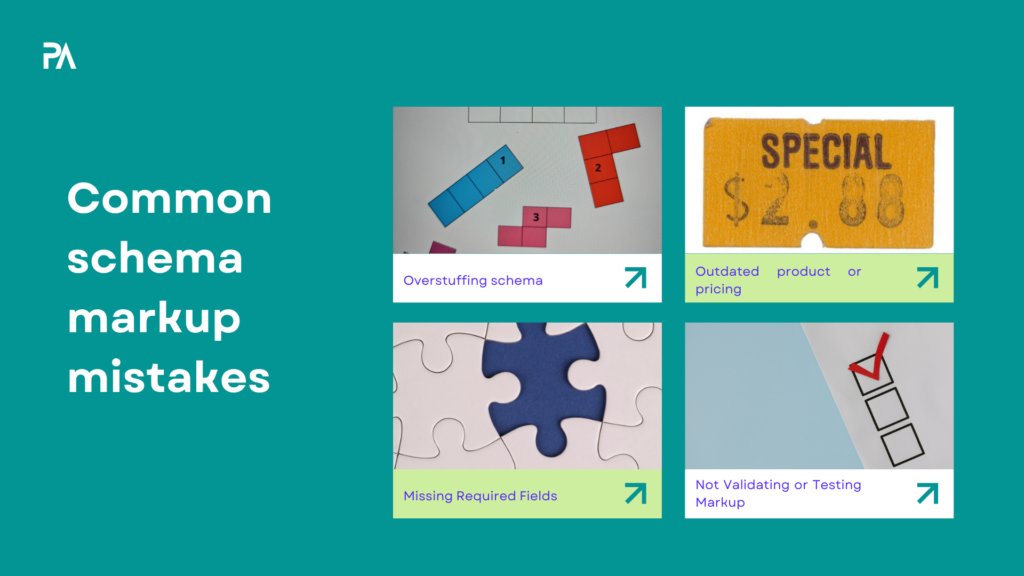
Common schema markup mistakes SaaS teams must avoid
Adding schema markup can give your SaaS website a serious boost. But little errors can keep you from appearing in voice search results. Here are common mistakes to watch out for:
1. Overstuffing schema or using irrelevant types
Adding too many schema types or irrelevant markup confuses search engines and makes your voice search SEO strategies less effective.
The fix: Stick to the schema types that match your page’s purpose so it stays clear and relevant.
2. Outdated product or pricing information
If your schema doesn’t reflect updated features, pricing, or subscription details of your SaaS, voice assistants will keep showing incorrect information to users. This hurts credibility and user trust.
The fix: Regularly review and update your schema whenever your product or pricing changes. Use your CMS or structured data tools to make updates quickly.
3. Missing required fields
Skipping important information like your SaaS name, description, price, or ratings stops your website pages from appearing in featured snippets or AI-generated answers.
The fix: Always double-check each schema type’s required fields using Schema.org documentation. Google’s Structured Data Markup Helper also gets the job done. Make sure to fill in all the important information accurately.
4. Not validating or testing markup
Unvalidated markup may contain errors that stop your structured data from working properly.
The fix: Always test your schema with tools like Google Rich Results Test or Schema Validator. This way, you can be sure your markup is correct and works perfectly before it goes live.
5. Misalignment between content and schema
When your headings, questions, answers, or pricing don’t match the structured data, search engines and voice assistants may totally ignore your site.
The fix: Make sure your schema reflects exactly what’s on the page so that your SaaS content is understandable and will most likely appear in voice search results.
Tools to help SaaS teams create and manage schema
Schema markup is a lot easier when using the right tools. You can create, add, test, and manage your structured data without turning it into a full-time technical project.
These are the tools you can rely on to add schema markup to your SaaS website:
JSON-LD schema senerators
These tools help you create schema markup in JSON-LD without touching code. They’re perfect when you want to add schema markup for product pages, FAQs, or reviews.
WordPress plugins (Yoast SEO, RankMath, Schema Pro)
If your website runs on WordPress, this is the easiest way to add the schema markup to it. Plugins like Yoast SEO and RankMath let you add product schema, FAQ schema, and organization schema while following SEO best practices.
Google structured data markup helper
This is Google’s own tool, and it’s great for beginners. It walks you through adding schema markup step by step so search engines can better understand your pages.
Testing and validation tools
Tools like the Google Rich Results Test and Schema Validator help you check if your schema markup works. They identify errors, missing fields, and warnings that could stop your pages from showing directly in search results.
Monitoring tools
Google Search Console, SEMrush, Ahrefs, and AlsoAsked help you track your site’s visibility in voice search results. They show you how schema markup affects your website’s performance in featured snippets and voice search queries over time. This way, you can update and improve it as your content, pricing, or features change.
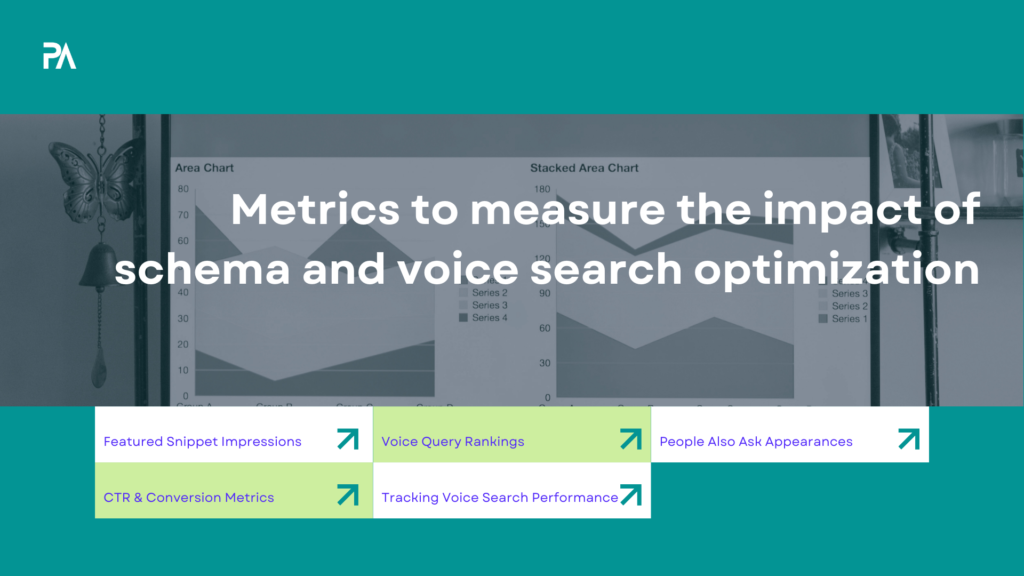
Metrics to measure the impact of schema and voice search optimization
Finally, adding schema markup to your site can feel like a win, but how do you really know it’s making a difference? Without tracking the right metrics, you’re flying blind on voice search visibility and SEO performance.
These are the key metrics you should look out for:
1. Featured snippet impressions
Keep an eye on how often your pages appear in featured snippets. This shows if your schema markup for SEO is helping search engines pick your content as the top answer.
2. Voice query rankings
Monitor where your SaaS pages rank for voice search queries. Higher rankings show that your structured data is making it easier for voice assistants like Google Assistant to find and read your SaaS content.
3. People also ask appearances
Check if your content pops up in People Also Ask boxes. Being featured there increases visibility and can drive traffic from conversational search queries.
4. CTR & conversion metrics from schema-enabled pages
Monitor click-through rates and conversions on pages with schema markup. Properly implemented schema often improves engagement and drives more qualified leads to your saas website.
5. Tracking voice search performance
Use tools like Google Search Console, SEMrush, or Ahrefs to visualize your data. Tracking impressions, clicks, and query performance over time gives you a clear picture of how your voice search and schema markup optimization efforts drive results.
Schema Markup as a one-stop strategy for SaaS voice search success
Schema markup is more than a technical add-on. It’s a powerful strategy that can dramatically improve visibility, credibility, and conversions for your SaaS.
When your content is structured with the right types of schema, search engines can easily understand your content. This way, your website has a better chance of showing up in the answers people are actively seeking.
As AI and voice search continue to gain mass attention, schema markup will only become more important. Implementing schema markup now and aligning your content with these strategies sets your SaaS up to reach the right audience and stay ahead of the competition.
FAQ
1. How does schema markup improve voice search visibility?
Schema markup helps search engines and voice assistants understand your SaaS content clearly. This makes it more likely for your SaaS to appear in voice search results for relevant questions.
2. Which schema types should SaaS websites use first?
Start with SoftwareApplication, FAQ, and HowTo schema. These cover your product, answer common questions, and guide users through your website.
3. Can I do schema markup without technical skills?
Yes. Tools like Yoast SEO, RankMath, Google’s Structured Data Markup Helper, and Schema Pro make it easy to add schema without coding.
4. How long does it take to see voice search results after adding schema?
Search engines first need to crawl and index your structured data. The results can show up in a few weeks, but the full impact may take a couple of months.
5. Can schema markup help my SaaS product get more conversions?
Absolutely. Schema increases visibility, trust, and click-through rates, which often leads to more qualified traffic and higher conversions.
6. Do I need a schema for every page on my SaaS website?
You don’t need a schema for every page. Instead, focus on pages that cover product details, pricing, tutorials, and frequently asked questions. These are the pages most likely to be featured in voice search results.
7. Can schema markup alone guarantee voice search visibility?
Schema alone doesn’t guarantee voicesearch visibility. It allows search engines to understand your content. But you still need quality content, proper SEO, and good user experience to rank.